Letterhead · Brand Your Emails
Every email Shopify sends, in your brand.
Order confirmations, shipping updates, refunds, returns, gift cards: Shopify sends your customers 47 kinds of email, and all of them look like Shopify. Letterhead puts your logo, colours and font on every one. Change your brand once and they all follow.
Hear when it opens Shopify app · $5 a month
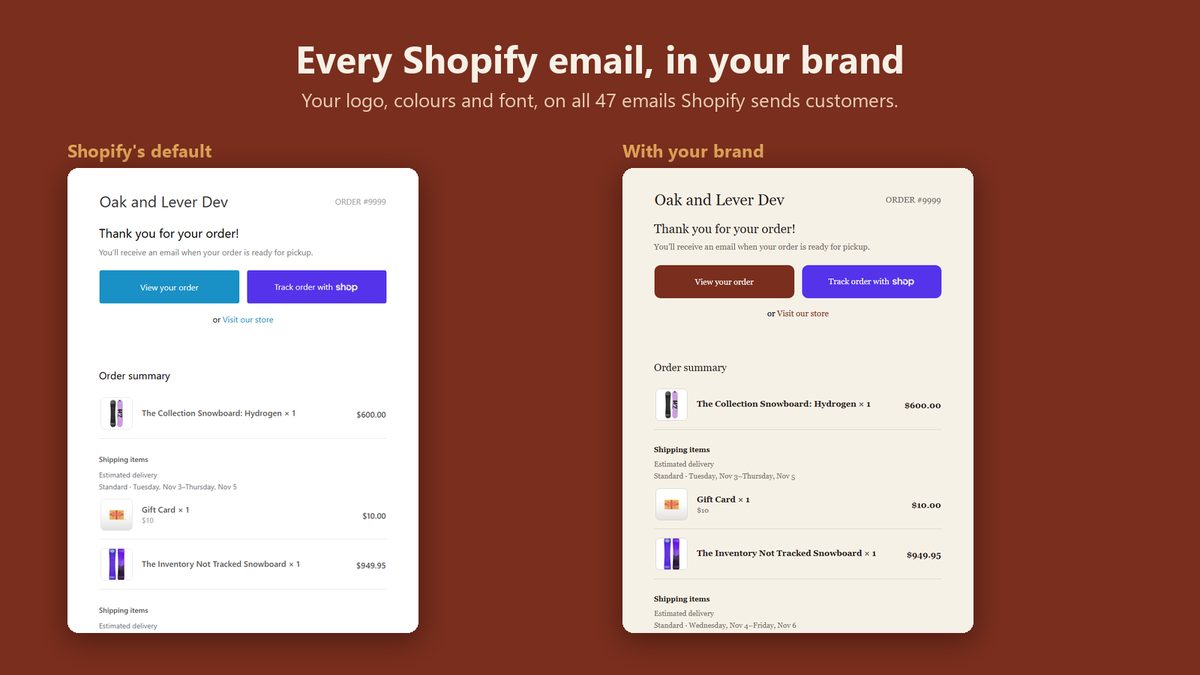
Set once. Paste once. Change any time.
1
Set your brand
Logo, colours, font, button shape, footer and social links. A sample order confirmation follows every choice.
2
Paste each email once
Copy an email from Letterhead into Settings › Notifications. The checklist tracks all 47.
3
Change it any time
New logo, new colours? Save once and every pasted email sends with them. No re-pasting.
Inside the app
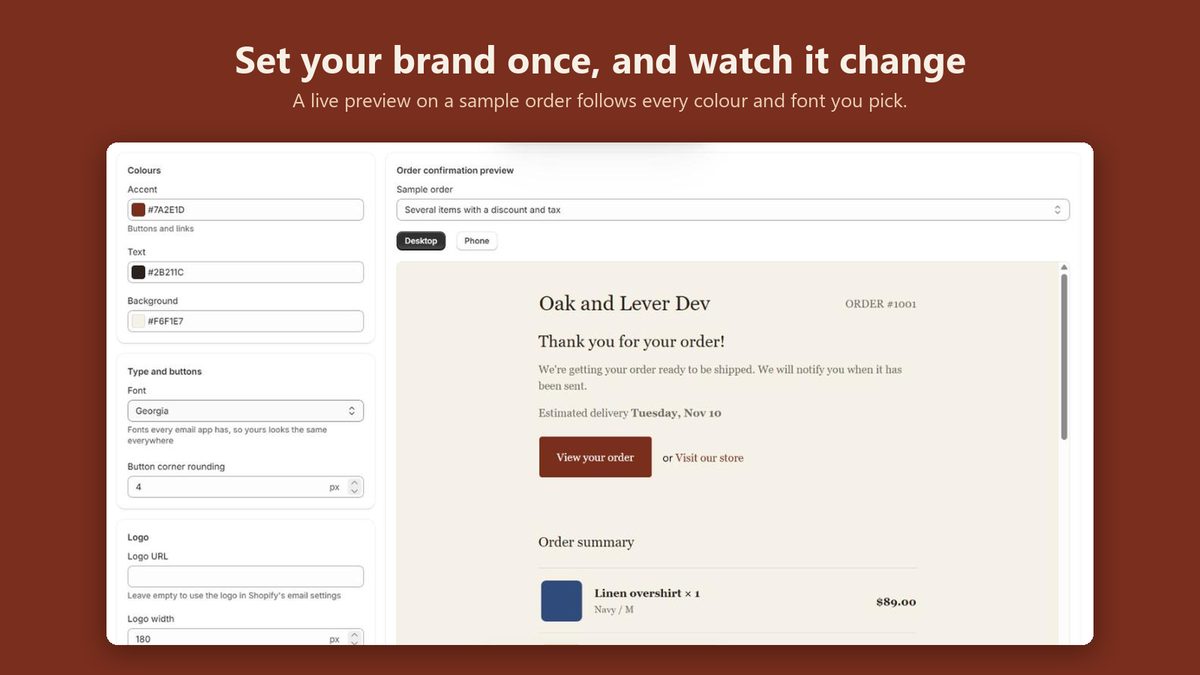
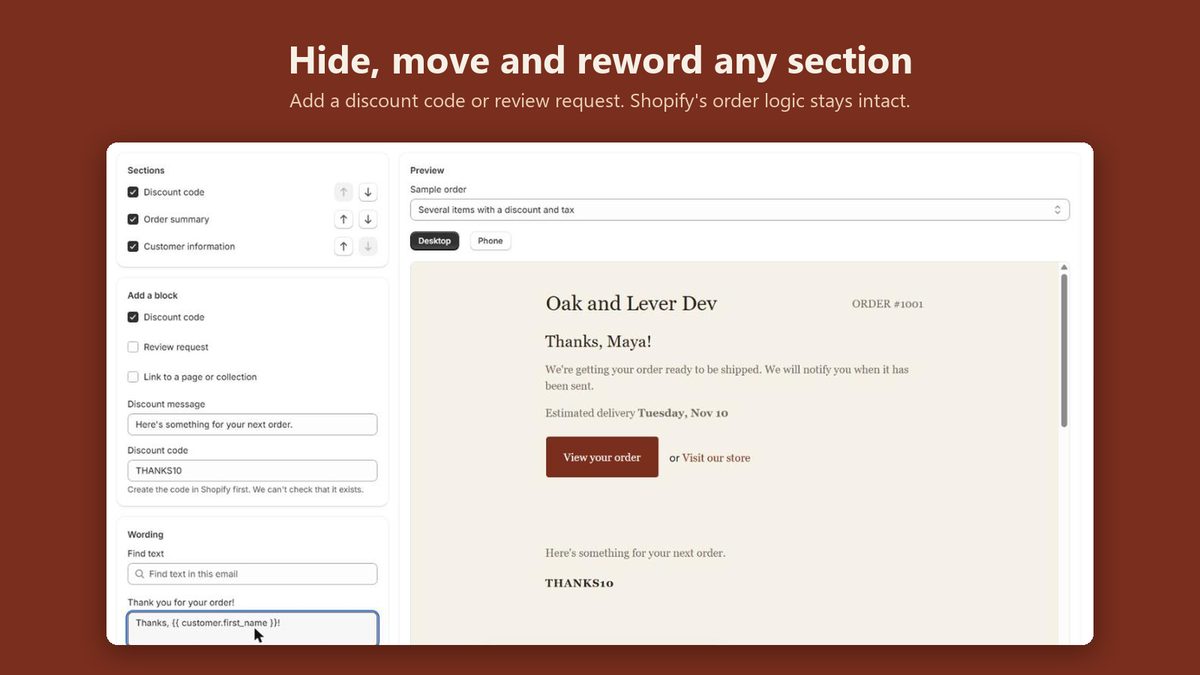
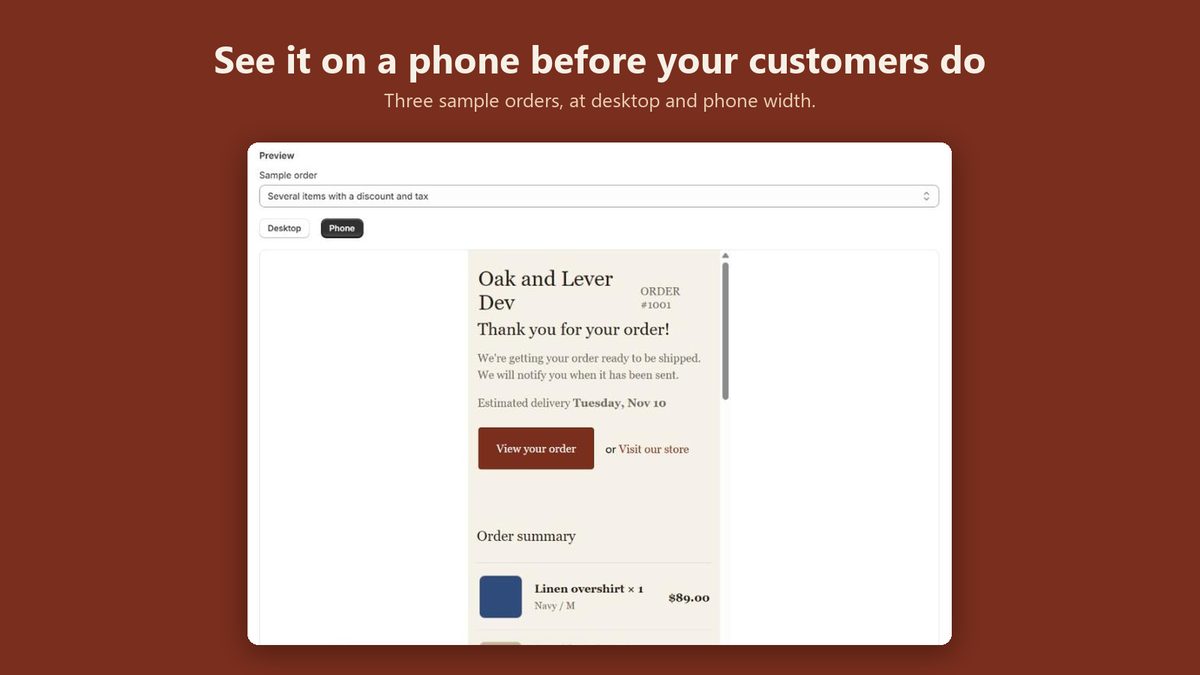
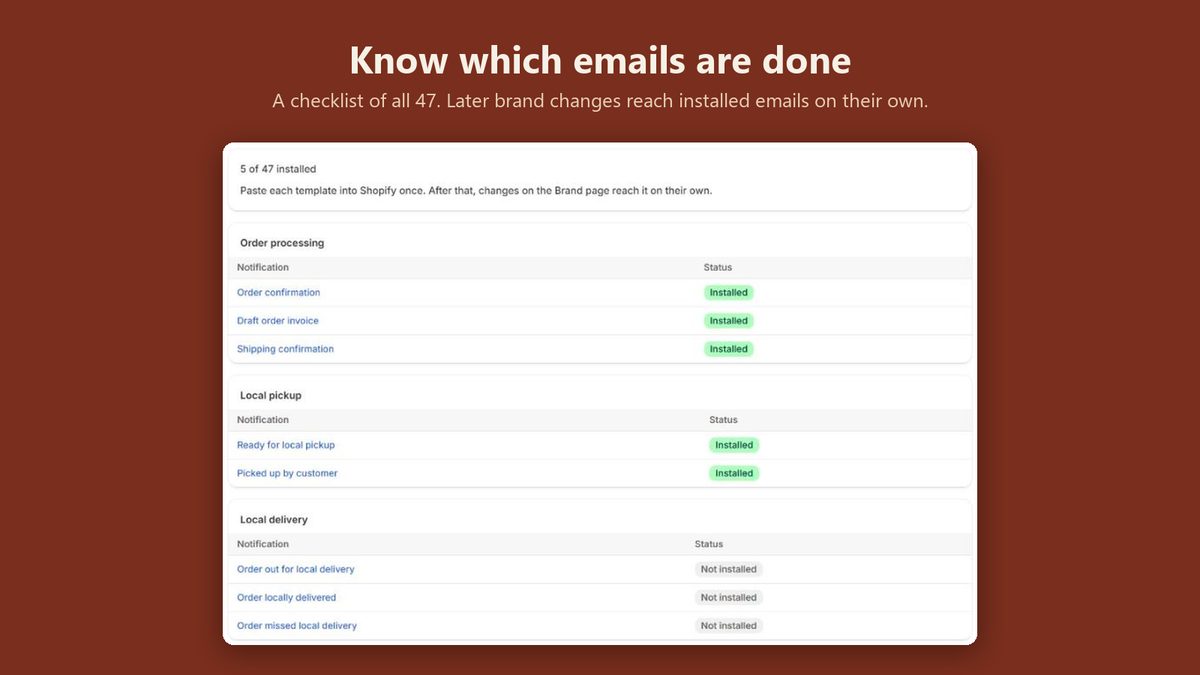
All 47, not just the order confirmation.
Each one is built on Shopify's own default for it, so bundles, split deliveries, local pickup and partial payments keep working exactly as Shopify wrote them. Letterhead changes the look and which sections show, never the order logic.
Hide a section, move it, reword its heading, or add a discount code or a review request. Previews run on three sample orders: one item, a discount, and a split shipment.
- Order processing3
- Order exceptions7
- Payments4
- Shipping updates3
- Local pickup2
- Local delivery3
- Returns and cancellations6
- Gift cards2
- Store credit1
- Point of Sale5
- Accounts and outreach11
What it touches, and what it doesn't.
Letterhead does
- Read your store's name and currency
- Keep your brand settings in one app-owned field on your store, so pasted emails can read them at send time
- Render previews on sample orders, never your real ones
It never
- Ask for access to your products, collections, orders or customers
- Change or delete anything in your store
- Add code to your storefront
- Add tracking to your emails. They load nothing from our server.
One plan, everything in it.
Every email, every setting, the section editor and the checklist. Billed through Shopify, with a 7-day free trial.
Standard
$5 a month
or $39 a year
7-day free trial · free on development stores
Questions
Why do I paste each email into Shopify?
Shopify has no way for an app to change notification templates, so every email app works by paste. You paste each email once, in Settings › Notifications. From then on, brand changes reach it on their own: the pasted email reads your brand from the app each time Shopify sends it.
What needs pasting again?
Only section edits: hiding, moving or rewording a section, or adding a block. Logo, colours, font, buttons, footer and social links never need a re-paste. The checklist marks any email whose pasted copy is out of date.
Will it break anything in my orders?
No. Each email is built on Shopify's own default for it, so bundles, split deliveries, local pickup, partial payments and discounts render exactly as Shopify renders them. Letterhead only changes how they look and which sections show.
What can it see in my store?
It asks for no access scopes, so it can't read your products, collections, orders or customers, and can't change or delete anything. Shopify's install screen still shows that the app can see the store owner's details, as it does for every app. Letterhead reads only your store's name and currency.
What does it look like in Outlook and dark mode?
The emails are tables with inline styles, which Outlook and Gmail handle. Outlook on Windows gets a matching safe font. Each email asks mail apps to keep your colours in dark mode. Most do; a few, such as Gmail on phones, recolour emails anyway.
What if I uninstall it?
Pasted emails keep the brand they last had, and keep sending. To go back to Shopify's defaults, choose Revert to default on each email in Settings › Notifications.
What does it cost?
$5 a month or $39 a year, after a 7-day free trial, billed through Shopify. One plan with everything in it. Free on development stores.
Coming soon
Coming to the Shopify App Store.
Letterhead is finished and on its way to Shopify for review. Leave your email and we'll write once, when it opens.