 Momtra
Thursday, September 3
Maya and Ari will not remember the mess. They will remember that you were there.
One phrase a day, written for your family.
Momtra puts a short phrase on your Lock Screen each morning, with your children’s names in it. You read it the first time you pick up your phone. It takes about five seconds.
Download on the App StoreFree on iPhone. No account, no ads, no tracking.
It knows their names.
Tell Momtra what you like to be called and your children’s first names, and the phrases are written around them. Not a stranger’s kids in a quote app: yours, by name.
It changes with them.
Choose the stages you’re in, from newborn to teen, and what your days look like. Add birthdays, a due date or the day you became a mom, and Momtra marks them. All of it is optional; skip the lot and it still works.
It keeps what lands.
Tap the heart to save a phrase, and write a line about why it mattered that day. Share one with a friend as an image (your note never goes with it). Thumbs down hides one for good, until you bring it back from Settings.
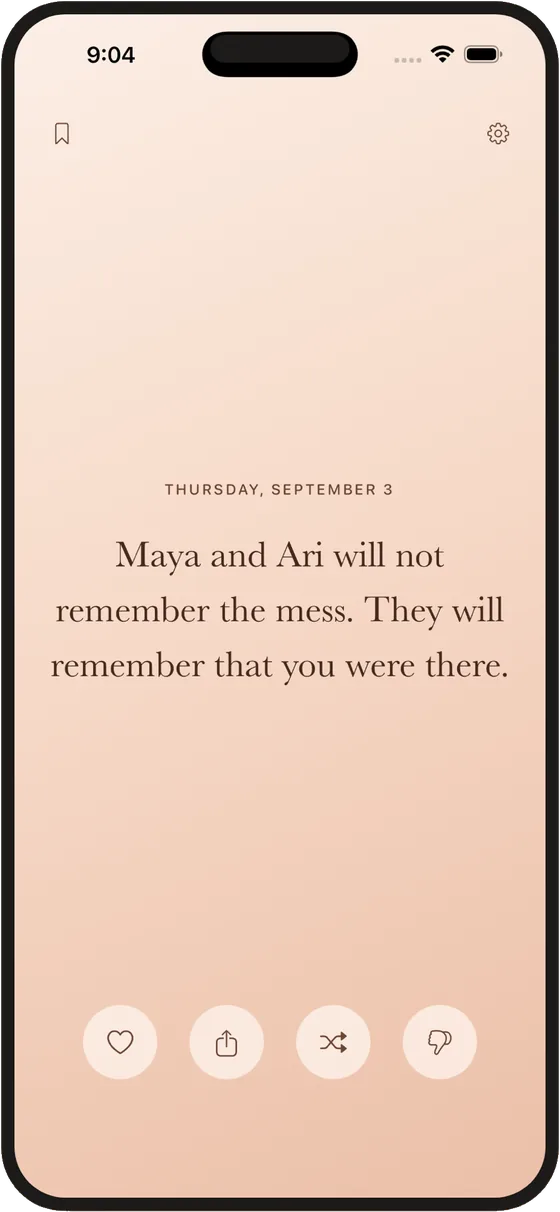 Today
Today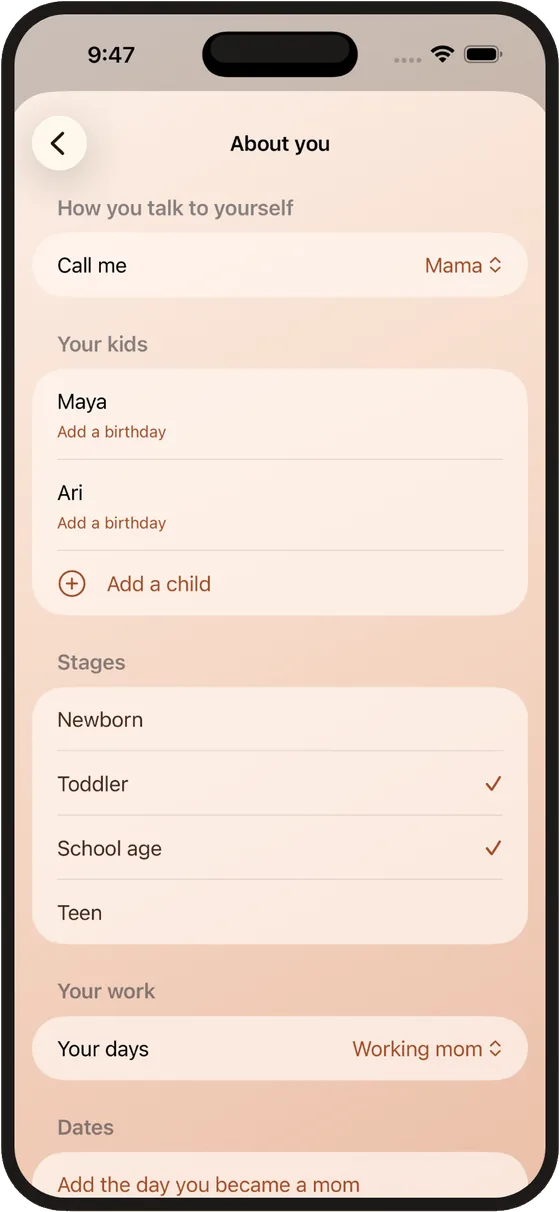 About you
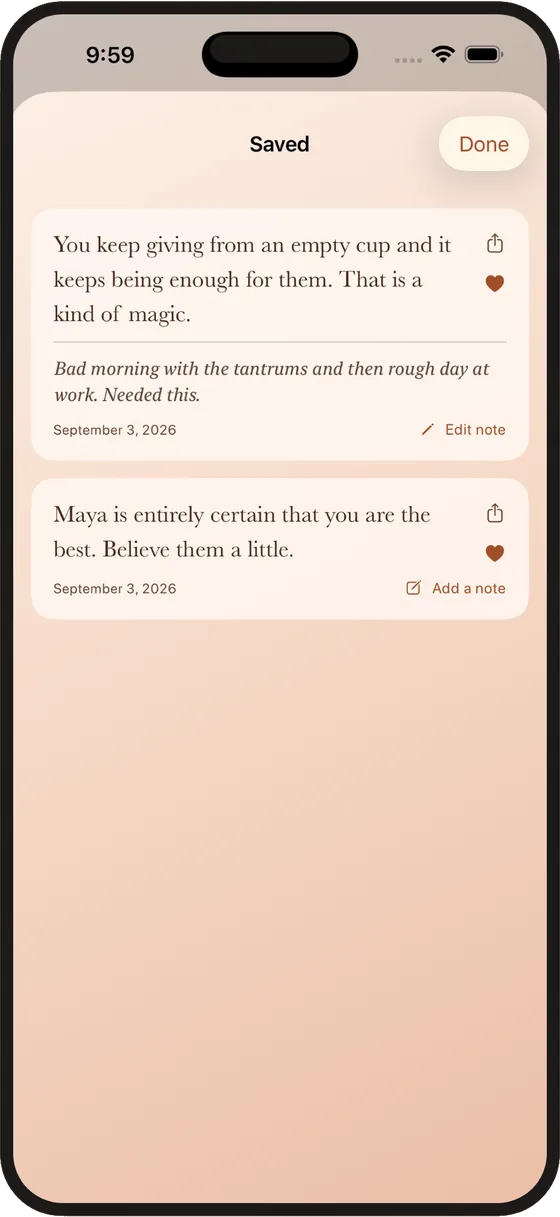 Saved
Saved
Eight colours, three typefaces.
Pick the look you’d like to wake up to. Try them.
Thursday, September 3
You are doing better than you think.
Momtra never connects to the internet. Your children’s names, your notes and your saved phrases stay on your phone.
No account, no analytics, no third-party code. Privacy policy
Small questions
- What does it cost?
Momtra is free on the App Store. There are no ads and no account.
- What do I need?
An iPhone running iOS 17 or later.
- How do I put it on my Lock Screen?
Touch and hold your Lock Screen, tap Customize, choose the Lock Screen, then tap the widget area and add Momtra. It shows the same phrase as the app.
- Does it need the internet?
No. Momtra never connects to the internet. The phrases, your settings and your notes all live on your phone.
- I hid a phrase by mistake. Can I get it back?
Yes. Open Settings, then Hidden phrases, and bring it back.
- What happens to what I write about a phrase?
It stays on your phone, next to the phrase. It is never included when you share a phrase, and we can’t see it. Deleting the app deletes it, so we can’t recover it for you either.
Something else? Email support@oakandlever.com.
Something kind, before the day starts.
Download on the App Store