Utilities · iPhone, iPad and Apple Watch

Scrap paper, not a filing system.

Scrap Paper Pro is one page. It opens where you left off, at the bottom, with the keyboard already up. No notebooks, no folders, no titles, nothing to name. Write the thing down and get on with your day.

Not another notes app. One page that's always open, and turns what you wrote into things that get done.

$2.99, once. No subscription, no account, no ads.

  • One page
  • Opens at the bottom
  • Private iCloud sync
  • Widgets
  • Apple Watch
  • Siri and dictation
  • Swipe to undo
  • Scan for Actions

01How it works

From a thought to done, in three taps

  1. Write it down

    Open the app and type. The cursor is already at the bottom of your page, so the thought goes down before it's gone.

  2. Scan for actions

    Tap Scan for Actions and your page is read on your device for the things you meant to do: events, reminders, messages, errands.

  3. Get on with your day

    Keep the suggestions you want and they land in Calendar, Reminders or Messages. Nothing happens until you say so.

02Features

Everything it does, and nothing else

Canvas

One page, always open

Everything you jot lands on the same page, in order. The app opens with the cursor where you stopped writing, so there's nothing to find and nothing to file.

A horizontal swipe undoes and redoes by thought, not by character.
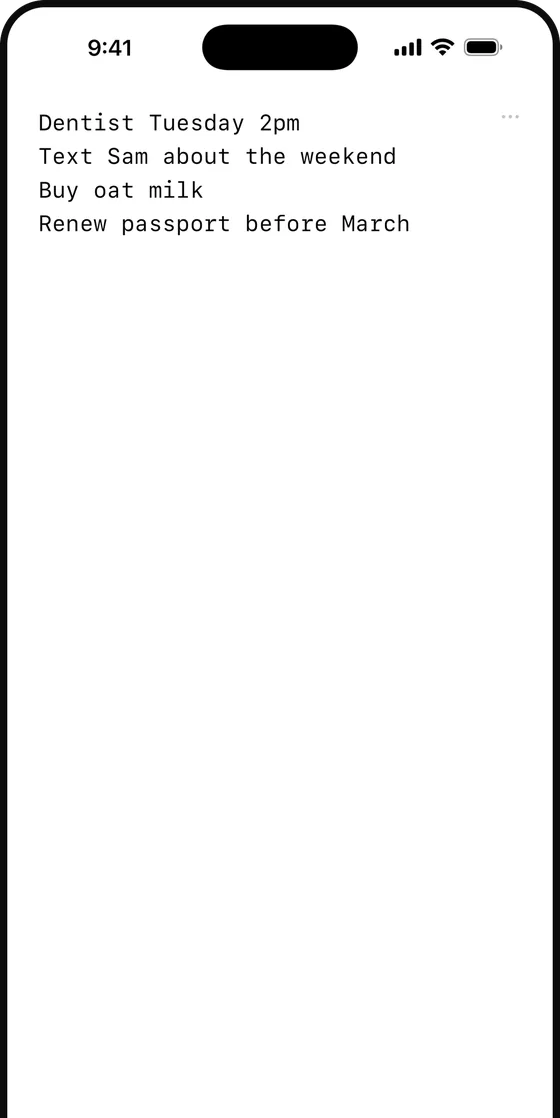
A single page of notes, open at the bottom

Actions

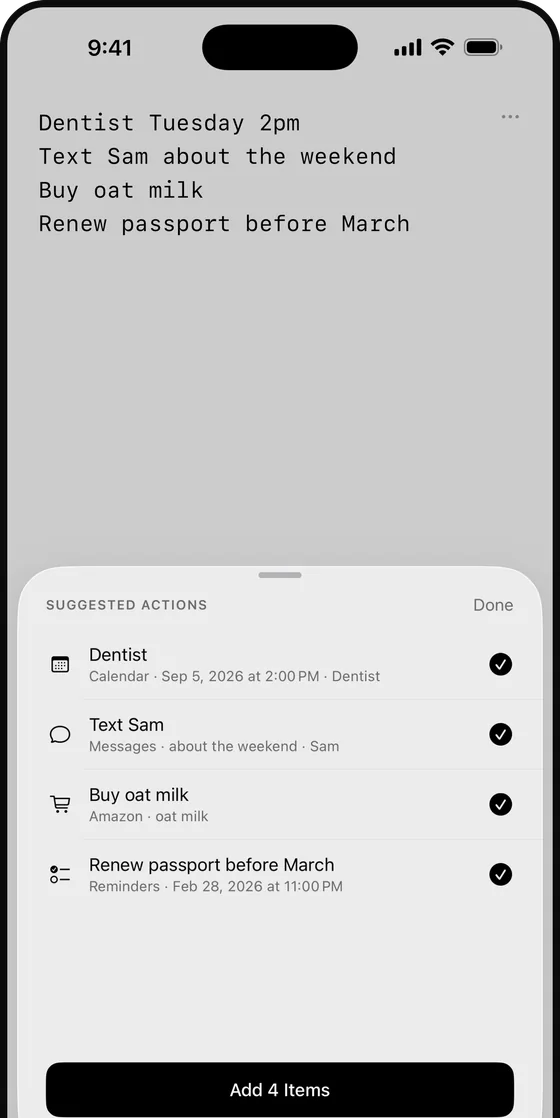
Notes become real actions

On devices with Apple Intelligence, Scan for Actions reads your page on-device and finds what you meant to do:

  • “coffee with Sam Thursday at 10” becomes a Calendar event
  • “add a reminder to get toilet paper” becomes a reminder
  • “text Sam that I'm going to be home late” opens Messages, already written
  • Addresses open in Maps, links in Safari, numbers dial

You choose which to keep. Anything already handled stops being suggested.

Suggested actions sheet listing a Calendar event, a message, an Amazon search and a reminder

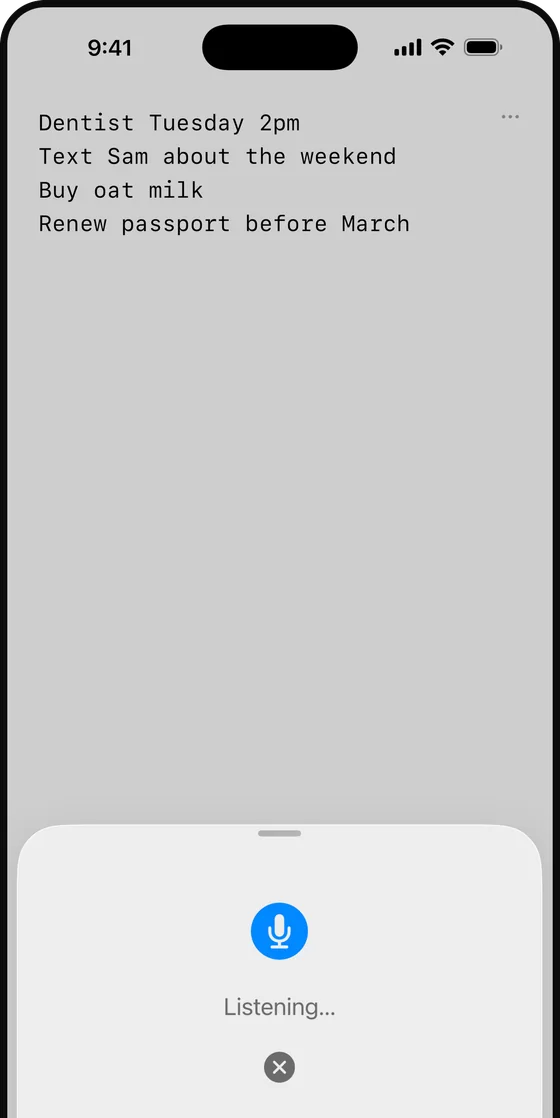
Dictate

Speak it before you forget

A Lock Screen widget starts dictation in one tap. Siri takes a thought hands-free, and on Apple Watch you can dictate a line from your wrist. It all lands on the same page.

Dictation listening over the page

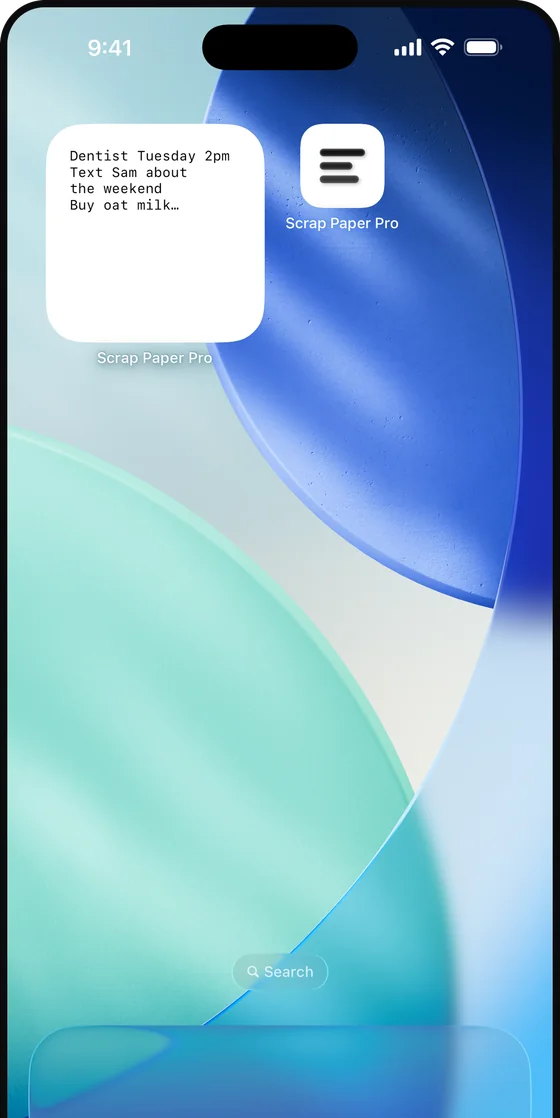
Widget

On your Home Screen

The Home Screen widget shows your latest lines and drops you straight into the page. Your page follows you across iPhone, iPad and Apple Watch through your own iCloud.

Scrap Paper Pro's widget on an iPhone Home Screen

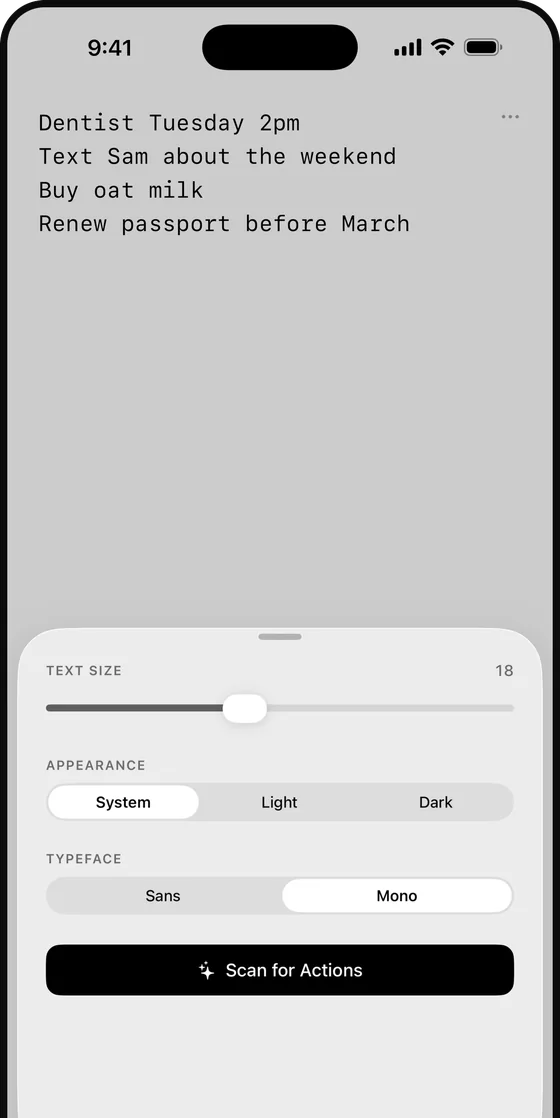
Yours

Set the type and the theme

Two typefaces, three appearances and one size slider. That is the entire settings screen.

Settings sheet with text size, appearance and typeface

03Privacy

Private by construction

  • No account, no server

    There is nothing to sign up for and nowhere for your notes to go except your own devices and your own private iCloud.

  • Read on your device

    Scan for Actions runs entirely on your device with Apple Intelligence. Your writing is never uploaded to anyone, including us.

  • Only when you tap

    Contacts, Calendar and Reminders are touched only in response to an action you choose. Nothing is copied or kept.

  • No analytics, no ads

    No tracking and no third-party SDKs. Read the privacy policy.

04Questions

Questions

How much does it cost?

$2.99, once. There is no subscription and no ads.

Where are my notes stored?

On your device, and in your own private iCloud account so the page follows you to your iPhone, iPad and Apple Watch. They are never sent to a server of ours, because there isn't one.

Do I need an account?

No. There is no sign-up and no login. Open it and write.

Why is “Scan for Actions” greyed out?

Scan for Actions uses Apple Intelligence, so it needs a supported device with Apple Intelligence turned on in Settings. Everything else in the app works on any device.

Why does it ask for Contacts, Calendar or Reminders?

Only when you tap a suggested action. Adding an event, saving a reminder or finding the person you wrote about each needs the matching permission. Decline any of them and the rest still works.

Can I organise notes into folders?

No, on purpose. Scrap Paper Pro is one page with no notebooks, folders, titles or tags. Everything lands on the same page, in order, so there is nothing to file and nothing to lose.

Something else? See Support or email support@oakandlever.com.

Write the thing down. Get on with your day.

One page, always open, on your iPhone, iPad and Apple Watch. $2.99 once.